Everything Connect does
Set up your organisation, put what you run in front of people, and see who turns up. Free to start, and it takes a few minutes.
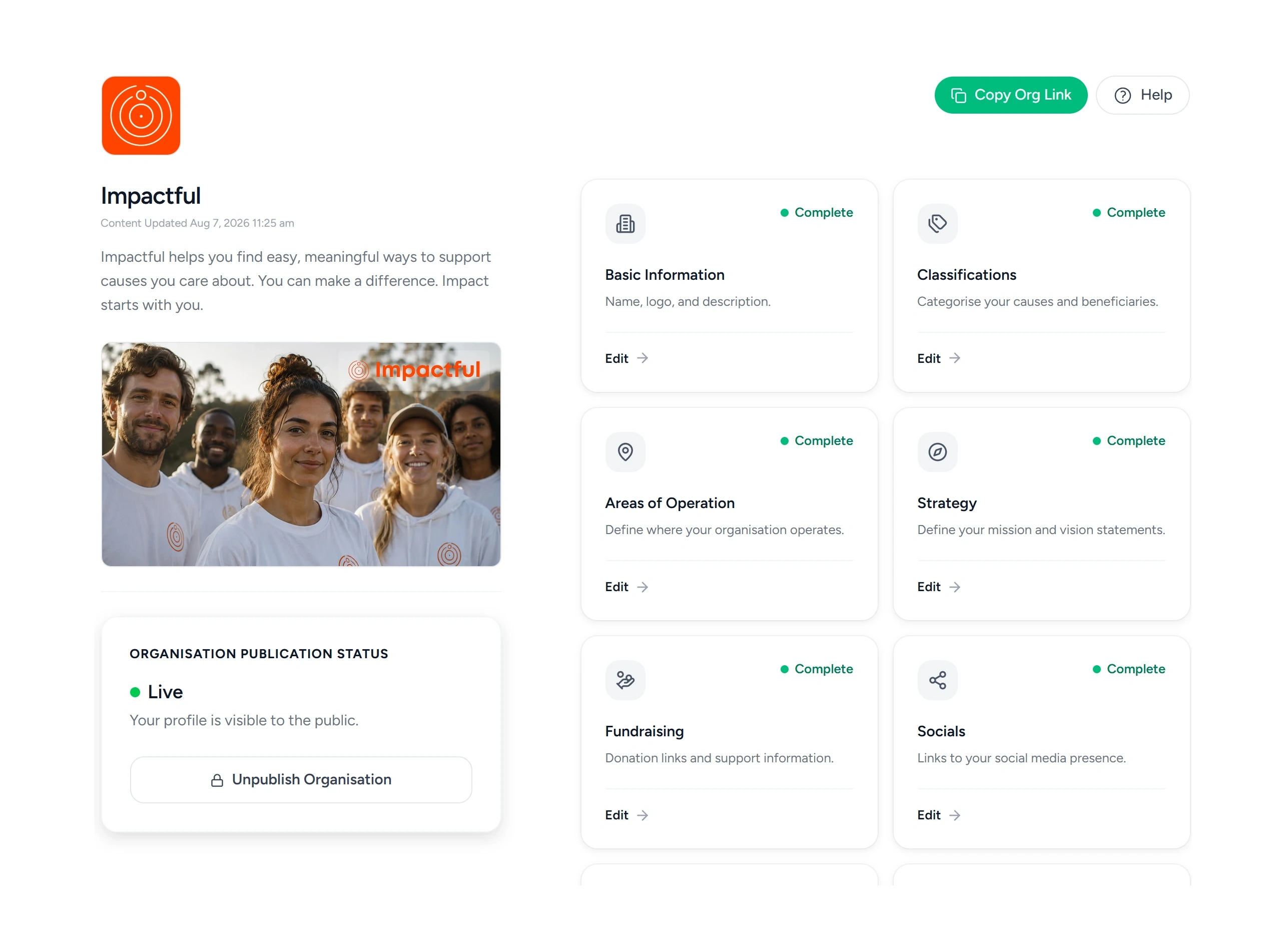
Set up your profile
This is your organisation’s home inside the app. It is what people see when they find you.
- Your logo, a cover image and a line on who you are
- The longer story in rich text, with a video if you have one
- Your mission and your vision
- The causes you work on, so you turn up in the right searches
- The parts of the UK you cover
- Links to your website and your social channels
- Fundraising links, so people can give to you directly
- Your terms and your privacy policy
Create and publish activities
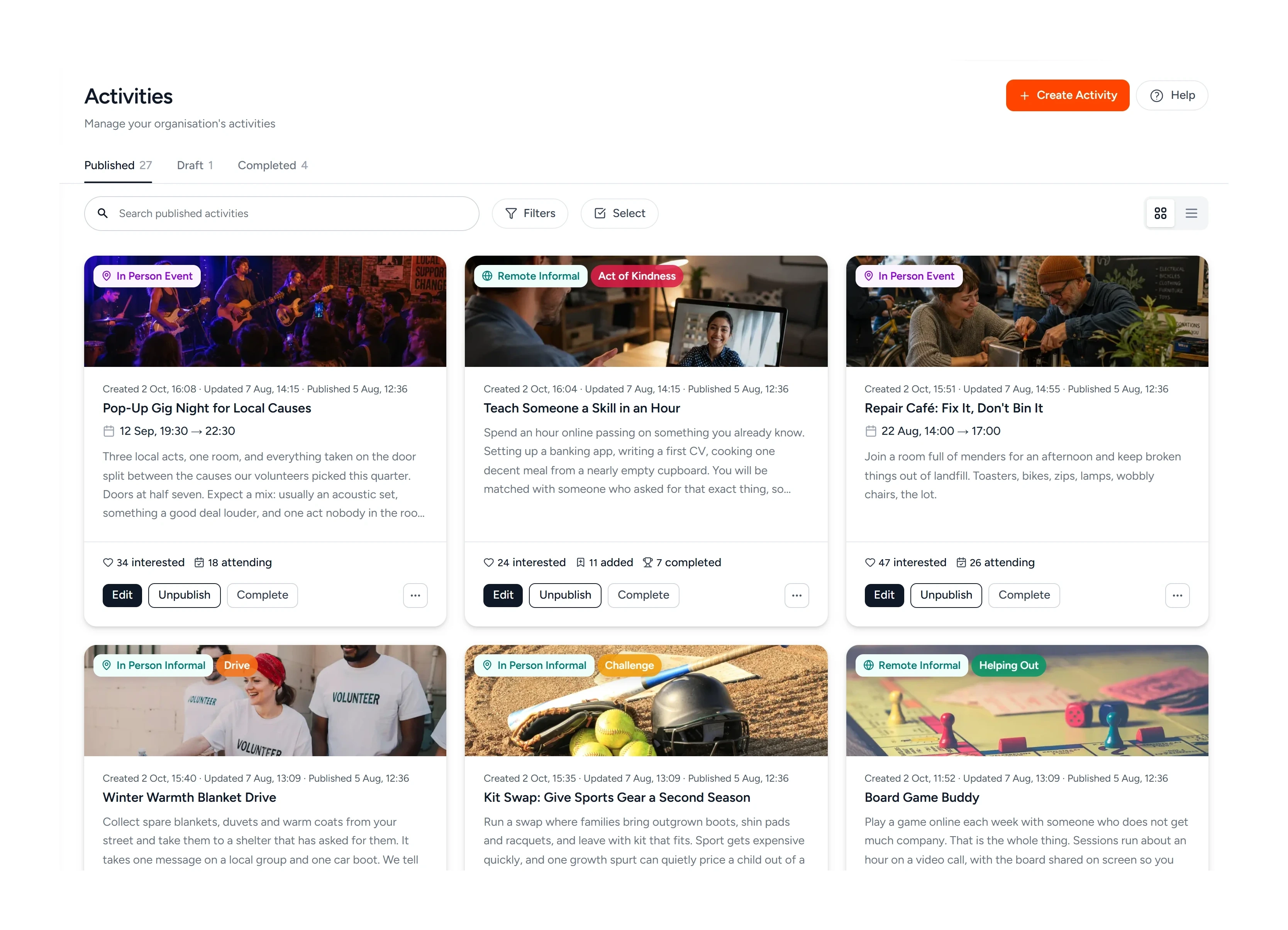
Two kinds of thing: an event with a date, a place and a list of who is attending, or an informal activity people can pick up whenever they like. Either can run in person or remote.
- Events people register for, or informal activities they do anytime
- Run it in person or remote, with the joining link, platform and password
- Save a venue once and reuse it: an address, or an area like a park
- Cap the numbers on an event, and approve each registration or not
- Name the skills and the learning people walk away with, for funders
- Add a banner, a video, instructions and a contact for questions
- Make an activity members only
- Publish when you are ready, or schedule it to go live later
- Unpublish it, complete it, or run a finished activity again
Share opportunities and resources
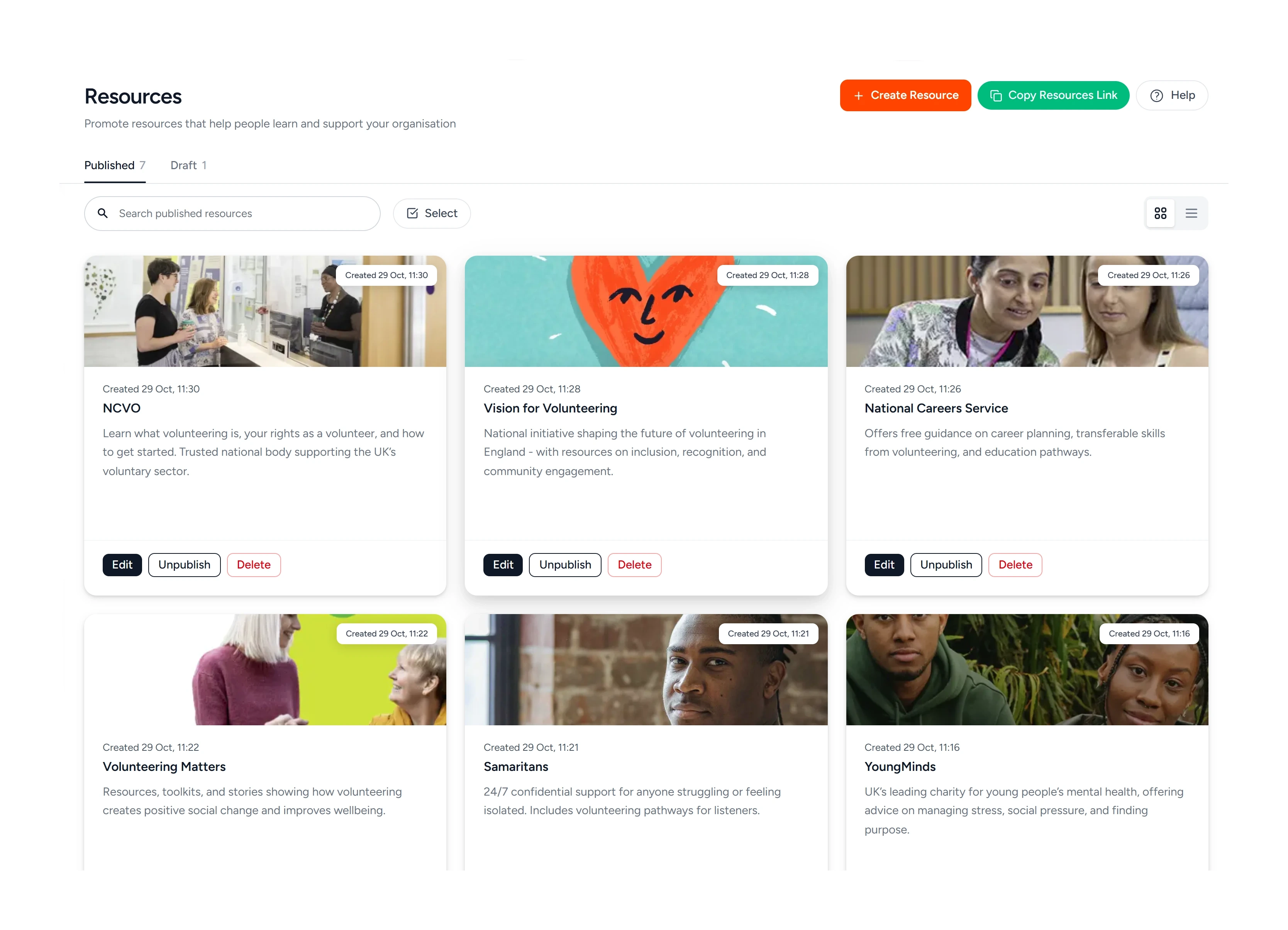
Opportunities are the bigger commitments: placements, apprenticeships, scholarships. Resources are the handbooks, briefings and reading lists. Both point at pages you already have.
- Post placements, apprenticeships and scholarships
- Link to your handbooks, briefings and reading lists from one place
- Each one is a title, a description, a banner and a link to your site
- People apply on your own site, the way they already do
- Share one link that opens any of it straight in the app
Take on members and keep them posted
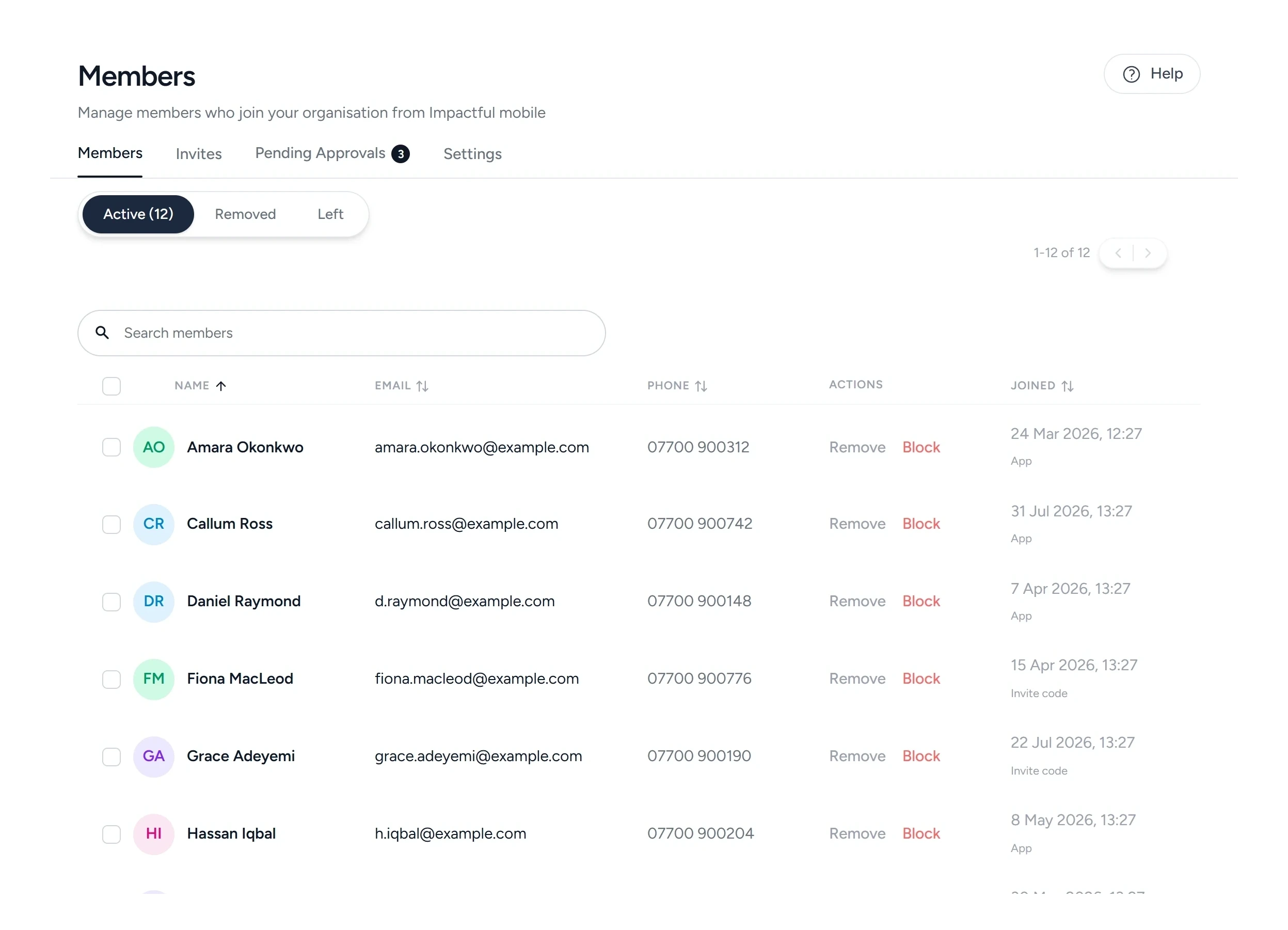
People can join from the app, instantly or on your approval, and you can invite them yourself. Everyone who joins, or turns up to something you run, lands in one list you can search, filter and message.
- Let people join instantly, or review every request yourself
- Invite someone by email, or bring a whole list in from a CSV
- Ask for a phone number or an address, and for your terms to be accepted
- Remove or block someone when you need to
- See members, attendees and past members in one searchable directory
- Filter by activity, then message those people in the app
- Tell members and followers when you publish, in the app or by push
Find the people who match what you need
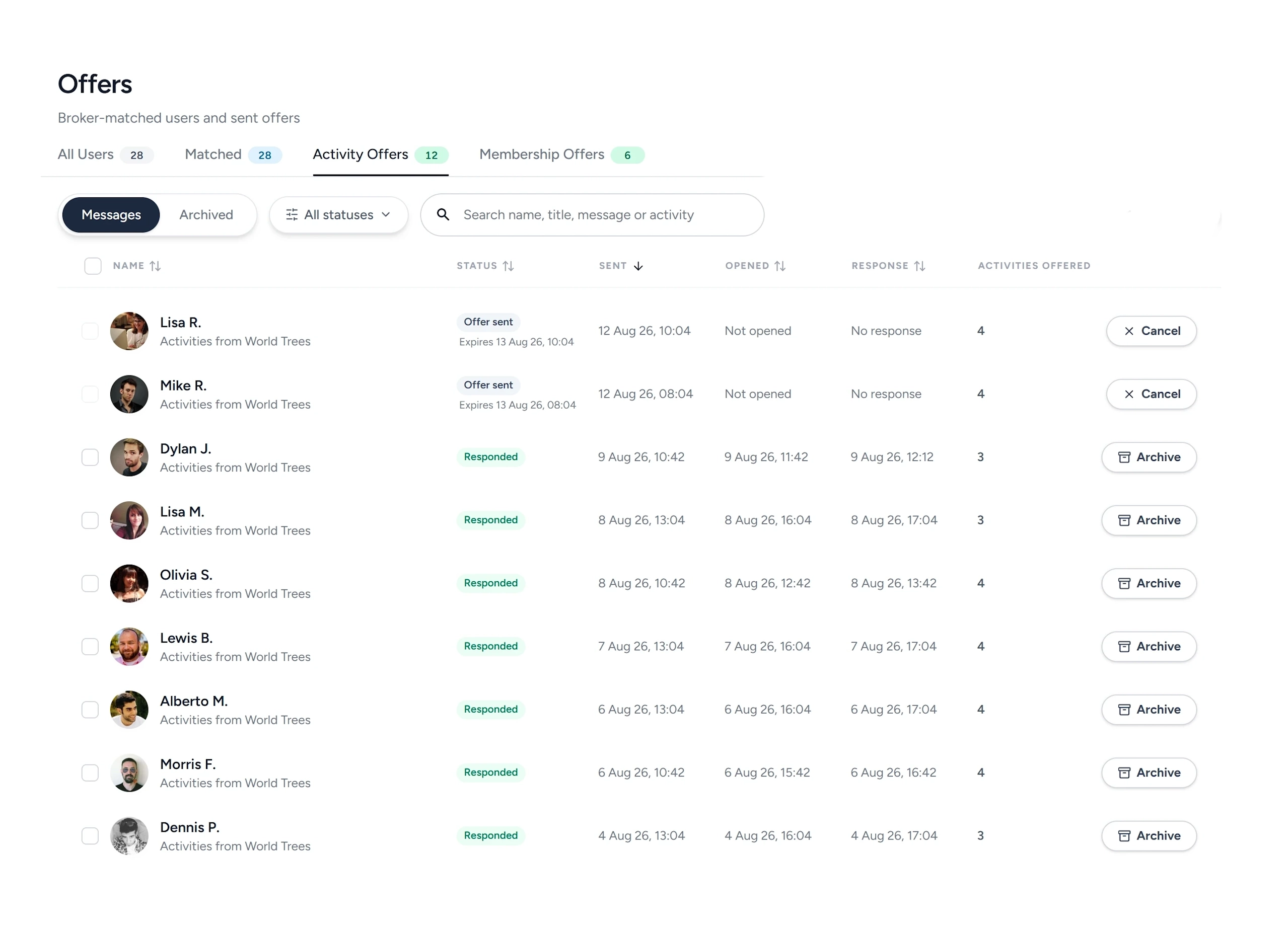
Connect takes the volunteers who have opted in to being contacted and lines them up against what you are running. You see why each person matched before you decide, and you send the offer.
- A ranked list of volunteers against each thing you are running
- Matched on causes, who they want to help, where they are and their hours
- See why someone matched before you contact them
- Send an offer for an activity, or an invitation to join you
- Follow what was sent, opened, answered and expired
Run it with your team
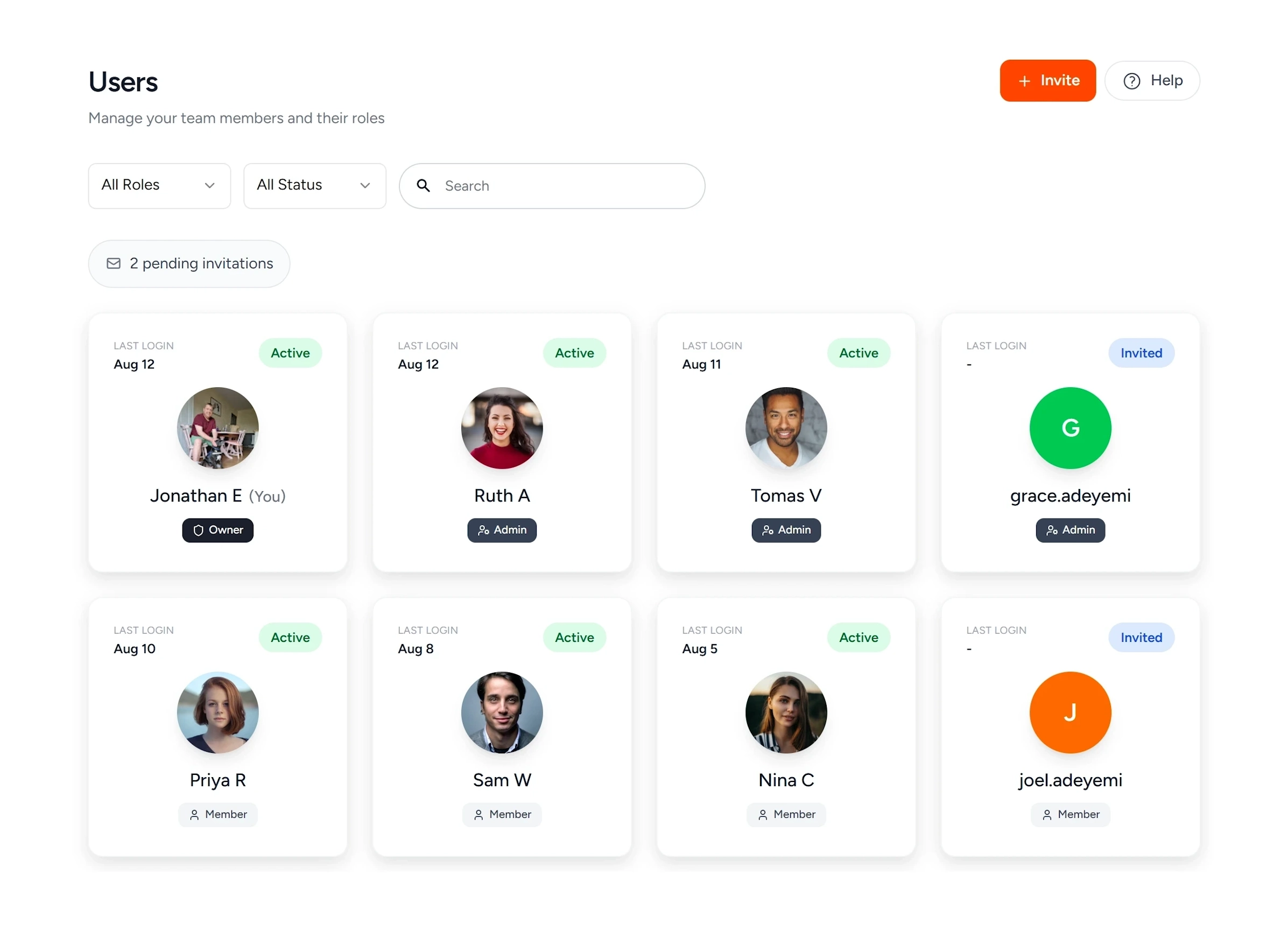
Invite the people you work with, give them the access they need, and keep track of who is doing what.
- Invite your team by email
- Assign roles to your team
- Set tasks with a due date, and repeat the ones that come round every month
See what is working
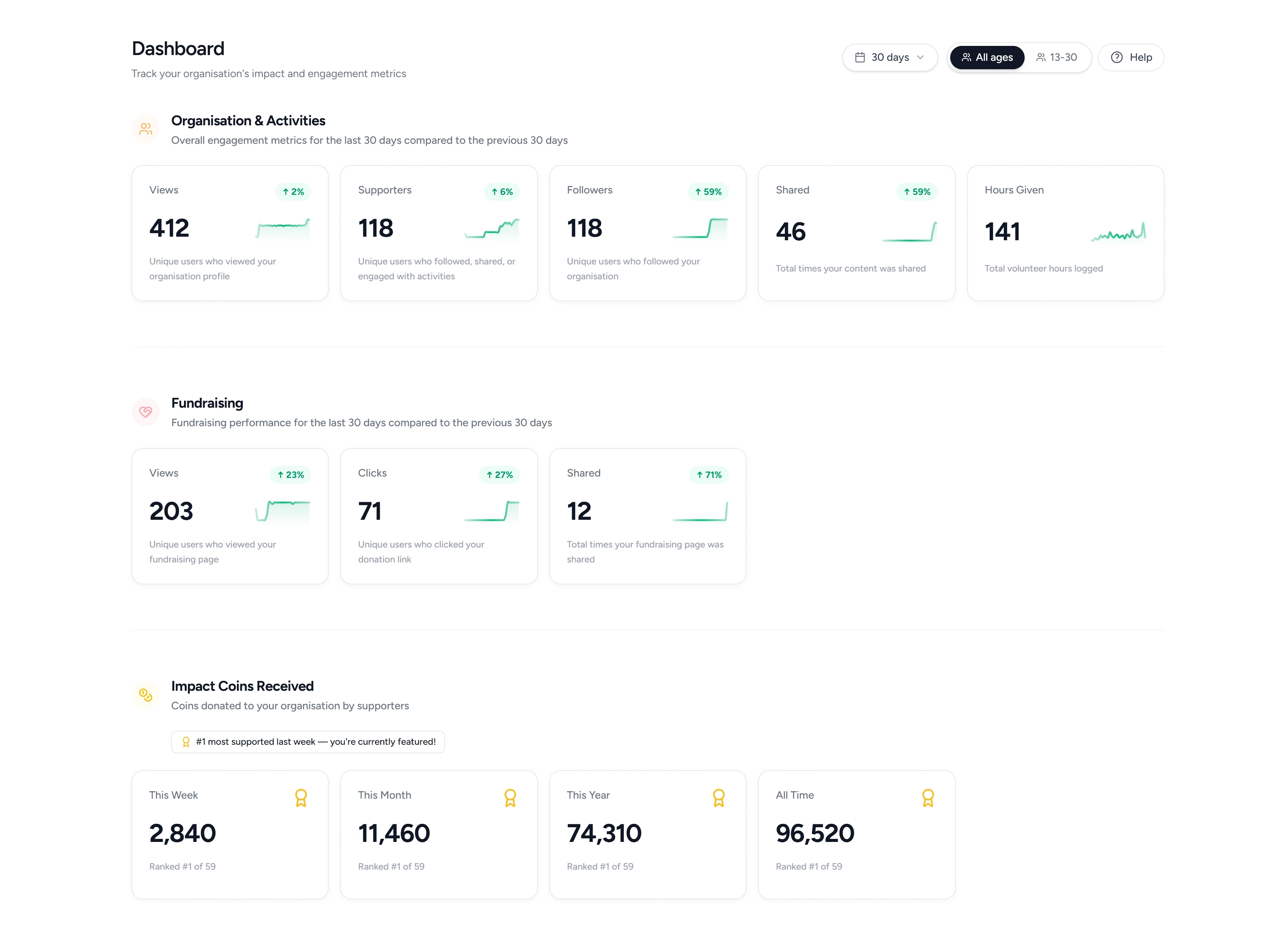
A dashboard of what is actually happening: who looked, who followed, who turned up and how many hours they gave, over the last week, month or quarter. Every completed activity lands in a log you can check and sign off.
- Profile views, followers and supporters, with the trend on each
- Hours given, totalled across everything you run
- How often your content gets shared, and by how many people
- A funnel from activity views, to added, to completed
- Impact Coins earned this week, this month, this year and all time
- Views, clicks and shares on your fundraising links
- The last 7, 30, 60 or 90 days, or all of it
- Every completed activity in a log you can check and sign off
Put your organisation where volunteers are looking.
Set up in a few minutes and publish your first activity. It costs nothing.